
AOMEI Backupper Overview and Get Your World Backup Day Exclusive Gift
Nowadays, more and more people are processing the data digitally, and it is very important to preserve and protect the data. One of them is backup. After I have evaluated many backup products on the market, here I will provide you with AOMEI Backupper Standard. It’s completely free, and I want to write a general overview and the real-time sync feature that I personally find very convenient and favorite. In this blog, you will be knowing about AOMEI Backupper Overview and Get Your World Backup Day Exclusive Gift.
1. AOMEI Backupper Standard and AOMEI Backupper Pro Overview
AOMEI Backupper Standard is known as free backup software. Even if some functions are limited, the functions that can be used have fully met our daily needs.
The standard version is free, but can fully back up specified drives and disk / partition clones. The main features are taken from the official website here.
- System/disk/partition backup and restore
- File/folder backup, restore and sync
- Automatic/full/incremental backup
- Sector-by-sector backup
- Smart backup
- Backup / sync to external hard drive, USB storage, local disk, Shared Folder / NAS, cloud
- Image file compression
- View backup log
- Check image file
- Image file comments
- Create Windows PE and Linux bootable media
- Data Disk Cloning
- Partition cloning
- Run the remaining scheduled tasks
The standard version almost completely covers the functions you usually use, but the backup-related processing is slower than the professional version, and other functions are limited. To use all features, you first need to upgrade. After the upgrade, the features added to the above standard version are as follows:
- System/disk clone
- General repair
- Command line utility
- Merge image files
- Split image file
- Display the contents of an image file
- Image file encryption
- Backup scheme
- Real-time file / folder synchronization
- Event-triggered backup schedule
- Set file filters
- Edit partition on disk
- Scheduled task differential backup
- Restore NTFS permissions
- Backup to CD / DVD
- Backing up and restoring dynamic disk volumes
- PXE boot tool
There is a fee to upgrade to the pro version. Fortunately, to protect data as much as possible, AOMEI gives AOMEI Backupper Professional Edition (which is worth $ 29.95) to users for FREE. This is the download link for the installation package: https://drive.google.com/file/d/1C_CfMhaz8pStMTSLV1o1tUfoeiBluJ1y/view?usp=sharing
So all users can use the pro version for free and enjoy all the paid features. Note that this giveaway activity is time-limited, the registration code and registration link are only valid from March 26th to April 2nd. Successful activation within this validity period can enjoy one year for AOMEI Backupper Pro for free.
2. General Backup
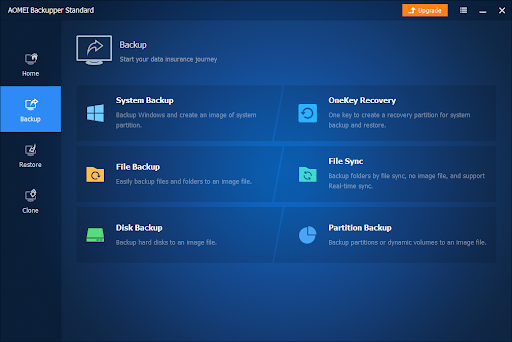
If you select “Backup” from the menu on the left side of the screen, “System Backup”, “File Backup”, “File Sync”, “Disk Backup” and “Partition Backup” will be displayed.
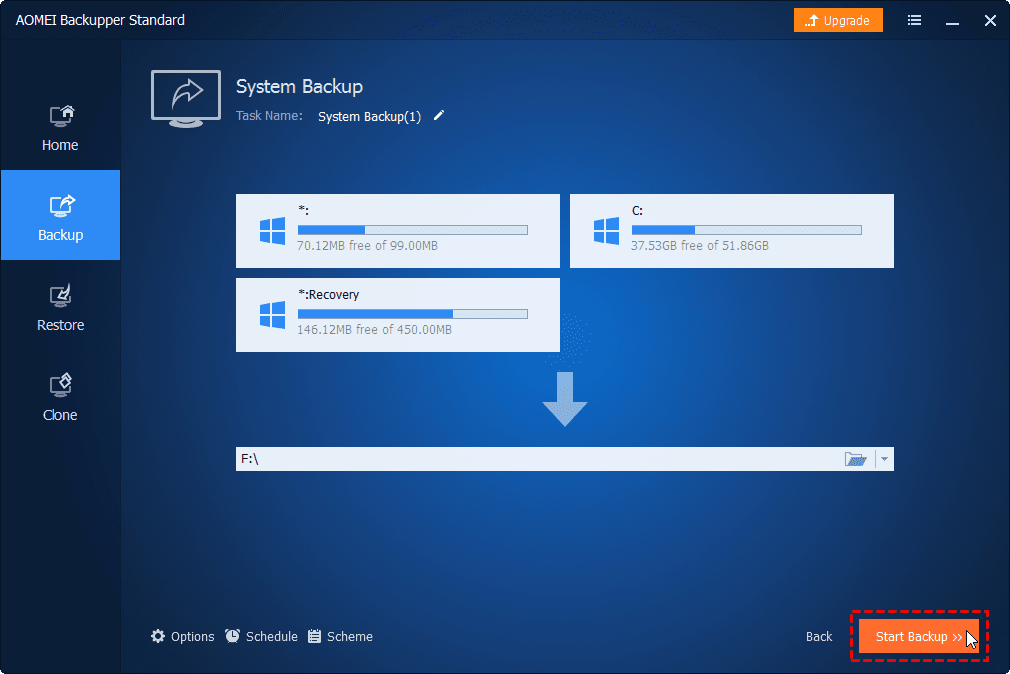
First, let’s make a system backup. If you select “System Backup”, the following screen appears: Specify the backup destination and click “Start Backup” to execute.
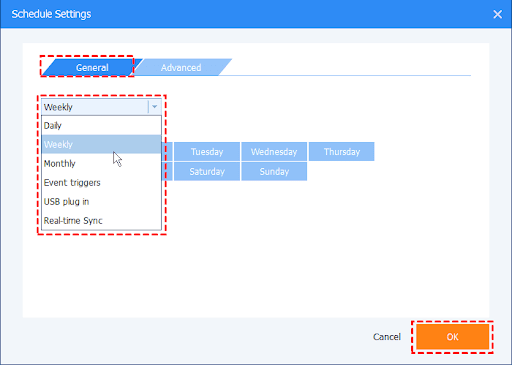
Once the backup is complete, it will be displayed on the main screen. If you want to manage your schedule, you can set it from here. The schedule also has “Daily”, “Weekly”, “Monthly”, “Event Trigger”, “USB Insert” and “Real-time Sync”, which can be set separately.
 3. File Backup / Restore
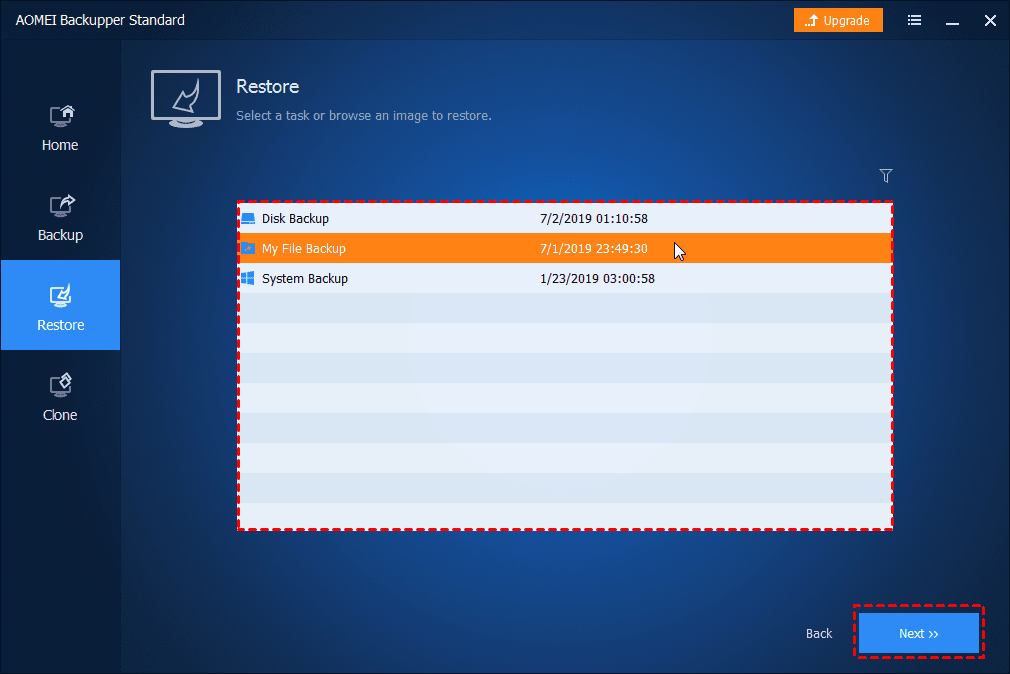
The next step is file backup. You can select the folders and files to be backed up and perform backup processing to the specified destination. The operation of “restore” is also easy to understand. Select “Restore” and then click “Select Task”. Select the file backup item that you want to restore from the list box, then click “Next” to continue.
4. Cloning
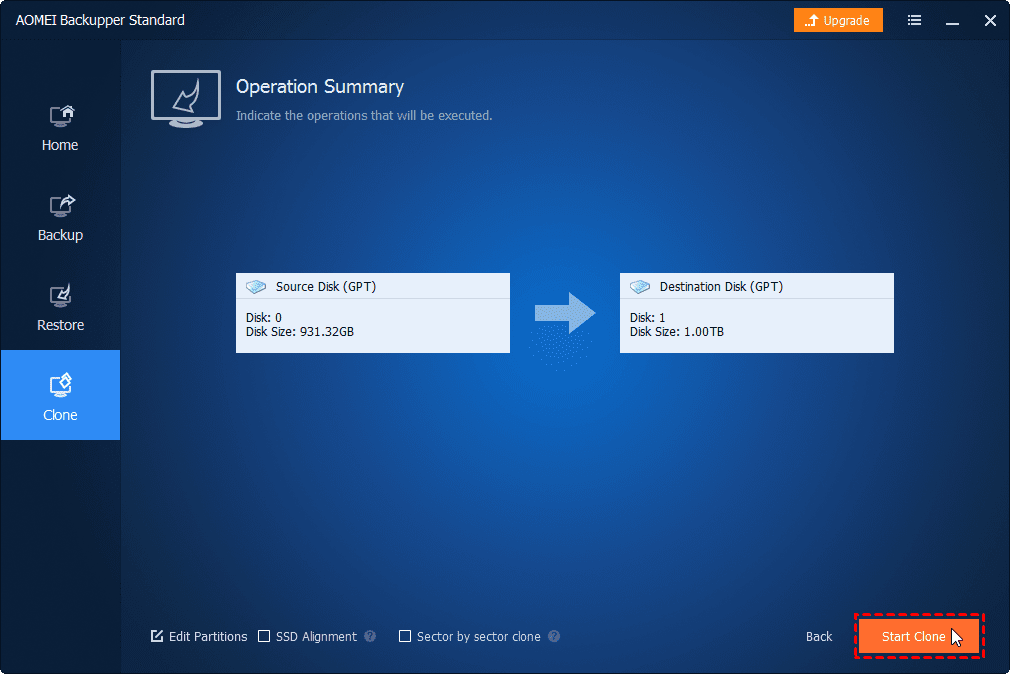
Since SSDs are very popular, I think the use of clones is also increasing when renewing. With AOMEI Backupper Standard Edition, it is very easy to clone disk and partition, so it seems to be the standard configuration for free backup software. Select “Clone” from the left menu and then select “Disk Clone”. Select the source disk and the destination disk. Click “Next”. Preview the information showing your source and destination disk. At last, click “Start Clone”.
The Bottom Line
Many users, like me, have no experience in backing up data. This causes data crashes to occur at any time, and the security of data is becoming increasingly unguaranteed. And through the development of software that focuses on data protection needs, extensive development has been achieved, and more and more backup products have emerged. How to choose a backup product that is suitable for you to protect our data becomes particularly important for us.
If you are upset about your data, I think it is a good idea to consider using AOMEI Backupper. When I use this software, it is the most natural and simple thing to use a PC in recent years. AOMEI Backupper Standrad is a free software worth trying! If you want to experience AOMEI Backupper Pro, download it now and try it for free! I hope this article is helpful to your data security.