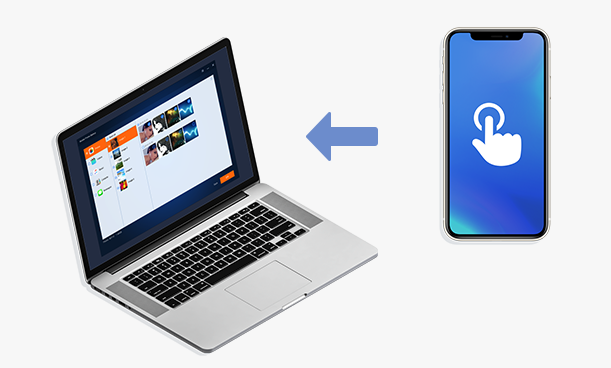
Over the years, Apple’s iCloud and iTunes services for syncing and backing up iOS devices have made amazing progress. But in the minds of most Apple users, they are not the perfect solution for backing up Apple devices. In this blog, you will know how to Backup Your iPhone Photos to PC with the Free iPhone Backup Tool – mBackupper.
Because each Apple account can only get 5GB of iCloud storage space for free, you need to purchase more storage space. And with more and more data in our work life and the growing demand for our active participation in social activities, there is no doubt that everyone’s mobile phone has more data than ever before. Whether it’s your iPhone or iPad, there will be thousands of data stored in, such as contacts, photos, videos, messages, etc. If our iPhone is lost, it may be even more unfortunate that our data is gone. Obviously, 5GB of iCloud storage space cannot meet the needs of most people, and the purchased space may not be enough to back up all our data. And if you have a device other than the Apple system (for example, you use a Windows PC with an Apple device), iTunes can’t selectively backup and restore data, so iCloud and iTunes may not be the best choices for backing up your data.
mBackupper is a free, safe and reliable iPhone backup software. Like most backup software on the market, it can protect your iPhone data from being lost due to device damage or loss. But it is different from others. It is completely free! There is no plug-ins and advertising from ite. If you don’t know how to back up your iPhone, we will provide you a product review about mBackupper and a detailed tutorial on how to use mBackupper to backup iPhone photos to your PC.
The Features of mBackupper
- All features are totally free
- Bright and simple interface, very user-friendly
- Help users easily manage iOS device data
- Better than many softwares and spends very little time backing up iOS data
- Fast data recovery
- Compatible with every version of the iOS device
- Selectively transfer required files with one click
User Experience
As the leading free iPhone backup software, mBackupper provides users with a better user experience. Losing your phone, damaging it or switching from old iPhone to the new one is something each of us dare not guarantee will never happen. With mBackupper, these things are no longer worrying because it can easily backup your iPhone, iPad, iPod data directly to a Windows PC. It gives you complete freedom to preview the data you need to back up before backup and allows you to selectively back up your iOS device data. Not only does it provide amazing speed when backing up data, it also supports multiple popular methods of iPhone backup, such as full backup and incremental backup. With its easy-to-use interface, you can easily back up, restore, and transfer data with one click. With just one click, you can transfer photos, messages, videos, contacts, etc. from your life and work to your Windows PC.
How to Backup iPhone Photos to PC with mBackupper
iPhone has recorded our lives and work, and photos carry too many memories of us. However, due to the uncertainty of life, we cannot predict the condition of the iPhone. What if we lost our iPhone? Will the precious pictures stored in the iPhone still come back? To avoid this, I suggest you back up your iPhone photos to your PC. If you backed up your data in advance, you won’t be bothered by any issues. Below I will show you how to backup iPhone photos to PC with mBackupper.
Step 1. Download the latest version of mBackupper. Connect your iPhone with PC via USB, and then click “Trust”.
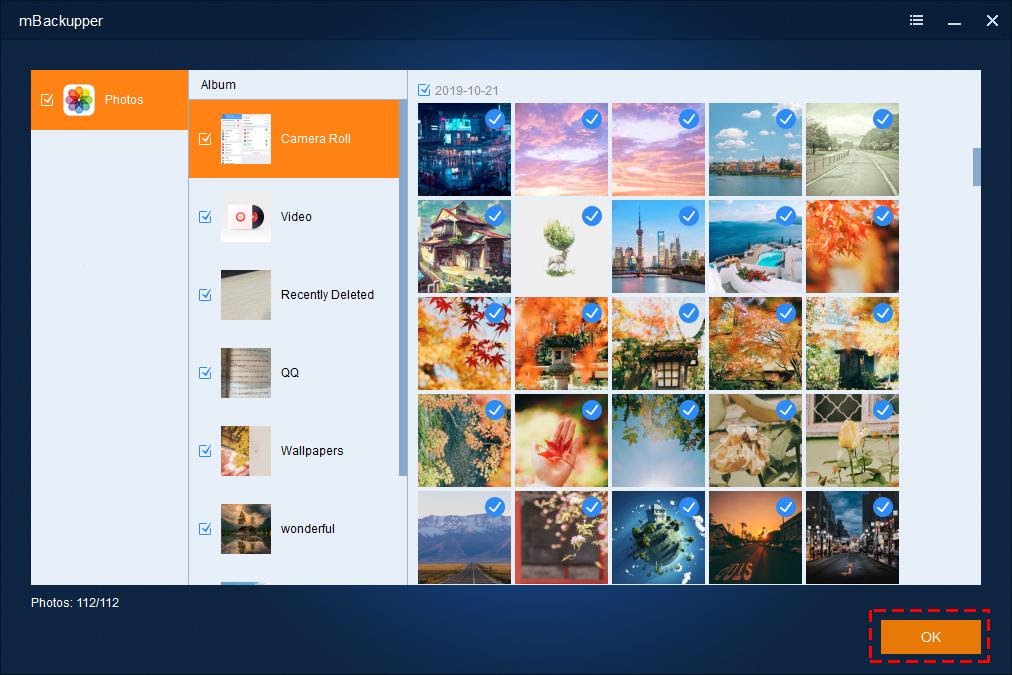
Step 2. Click “Photos Backup”. You can preview before backing up, and you can freely select some specific photos you want to back up, and then click “OK”.
Step 3. Finally, click “Start Backup”.
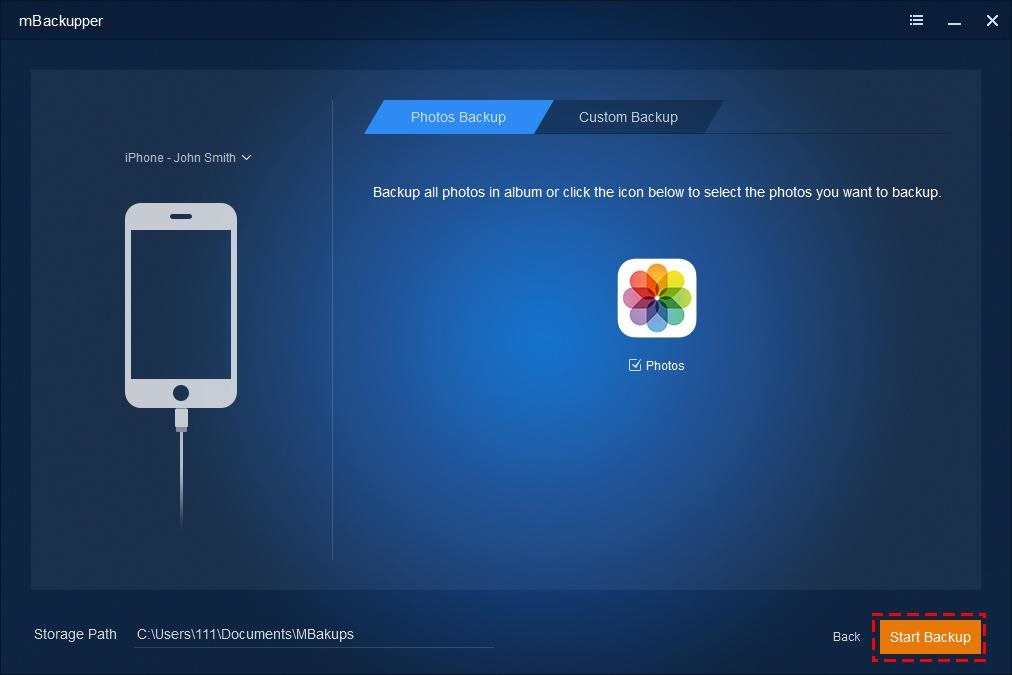
With just these three simple steps, the photos you choose will be transferred to your PC in seconds.
Signing Off
mBackupper is a simple and free iPhone backup and restore tool. It is an excellent backup software which can replace iCloud and iTunes. In addition to iPhone, you can also backup and restore iPad and even iPod. Not all data on the iPhone will always be safe, mBackupper is a professional iPhone data backup tool designed to avoid any data loss. If you are still worried about the data on your iPhone, I recommend you to have a try.